The company's documents, without leaving your draft
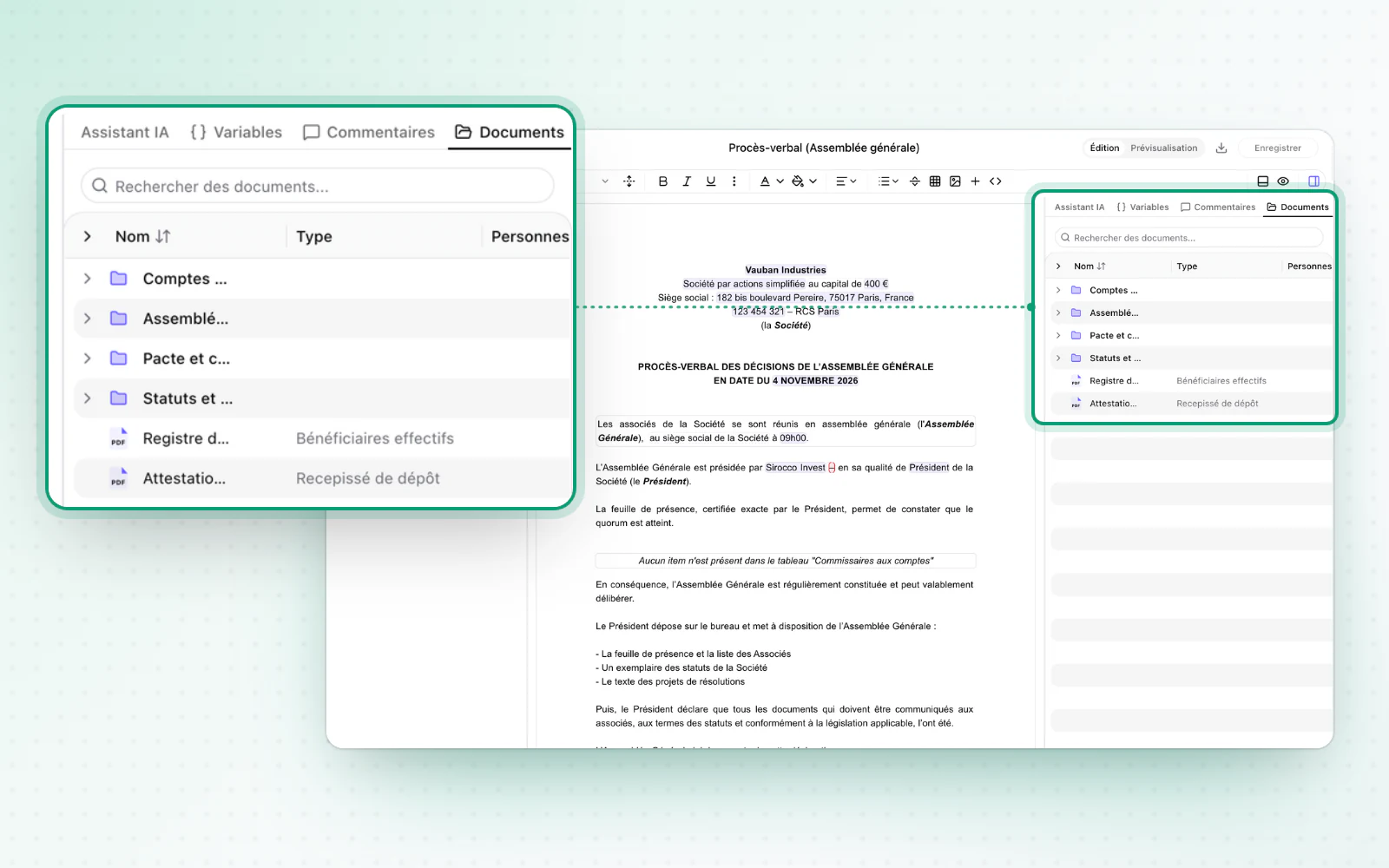
Browse the company's documents without leaving your draft. Capital history also brings you back to today in one click.
Find a file without leaving the operation. From the draft editor and an operation's form, browse the company's documents directly.
Highlight
A simpler capital history
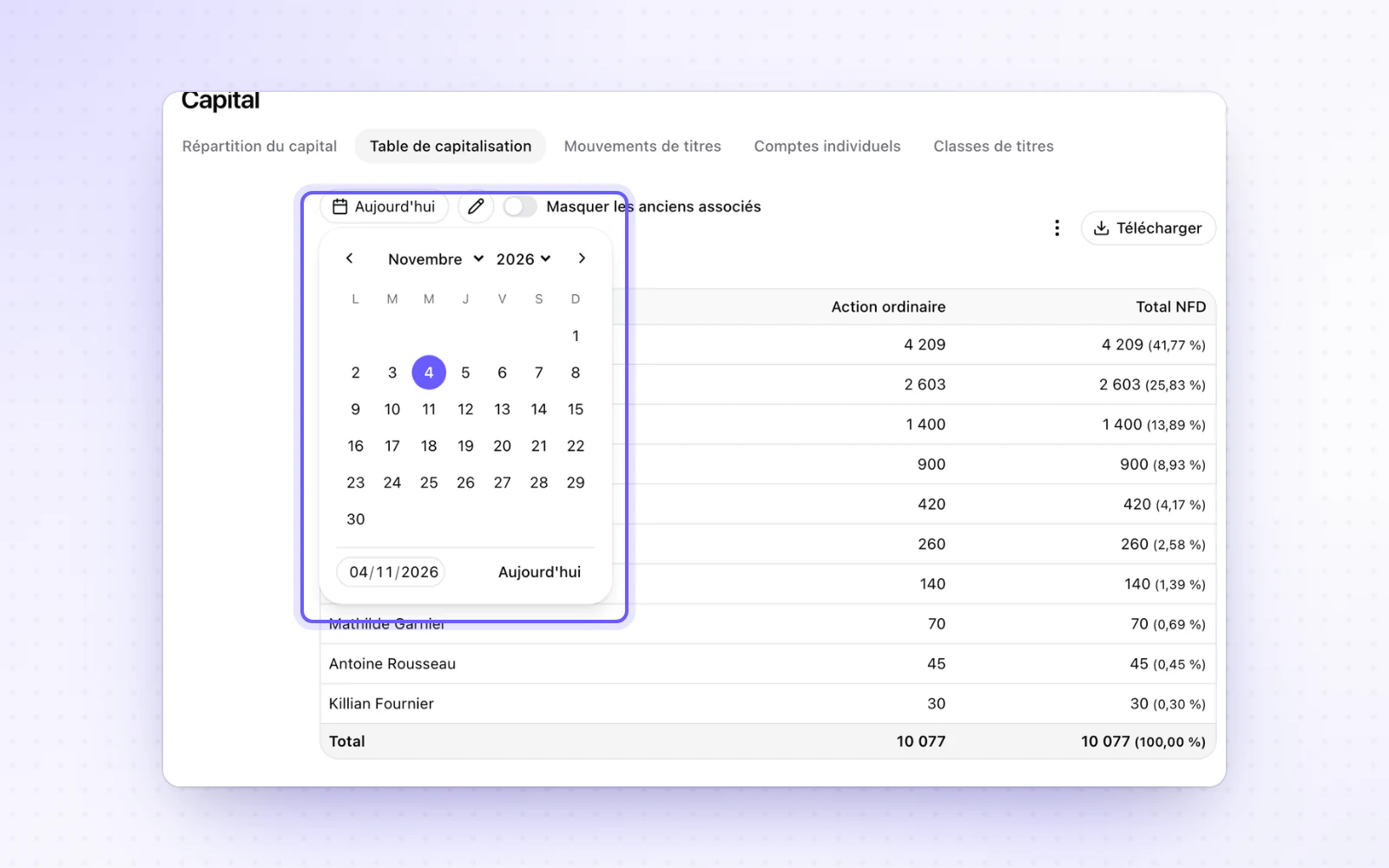
Go back in time in your capital, then return to today. Capital history has a single date picker, and one button brings you back to today. False inconsistency alerts no longer show when you look at a past date.
All changes
The full list for this release, fixes included. Only changes our customers can see are listed.
New
- DocumentsThe company's documents, close at hand
- CapitalA simpler capital history
Improved
- People and mandatesA UK company added as a legal entity is prefilled from Companies House.
- DocumentsFolders and files sort by name in natural order, letters and numbers alike.
- Templates and draftingDeleting a clause can be undone with the undo shortcut until you save.
- Templates and draftingA single arrow key press takes you out of an inline condition.
- OperationsAn operation's form asks for confirmation before closing, so nothing is lost.
- OperationsOperations dashboards use the full width of the screen.
- Company creationA Pennylane deposit has clearer tracking and a prefilled domiciliation certificate.
- Organisation and accessAccess is shown more simply, with inherited members displayed by default.
Fixed
- Org chartCards and percentages no longer overlap in the vertical layout.