Your investor categories, managed in place
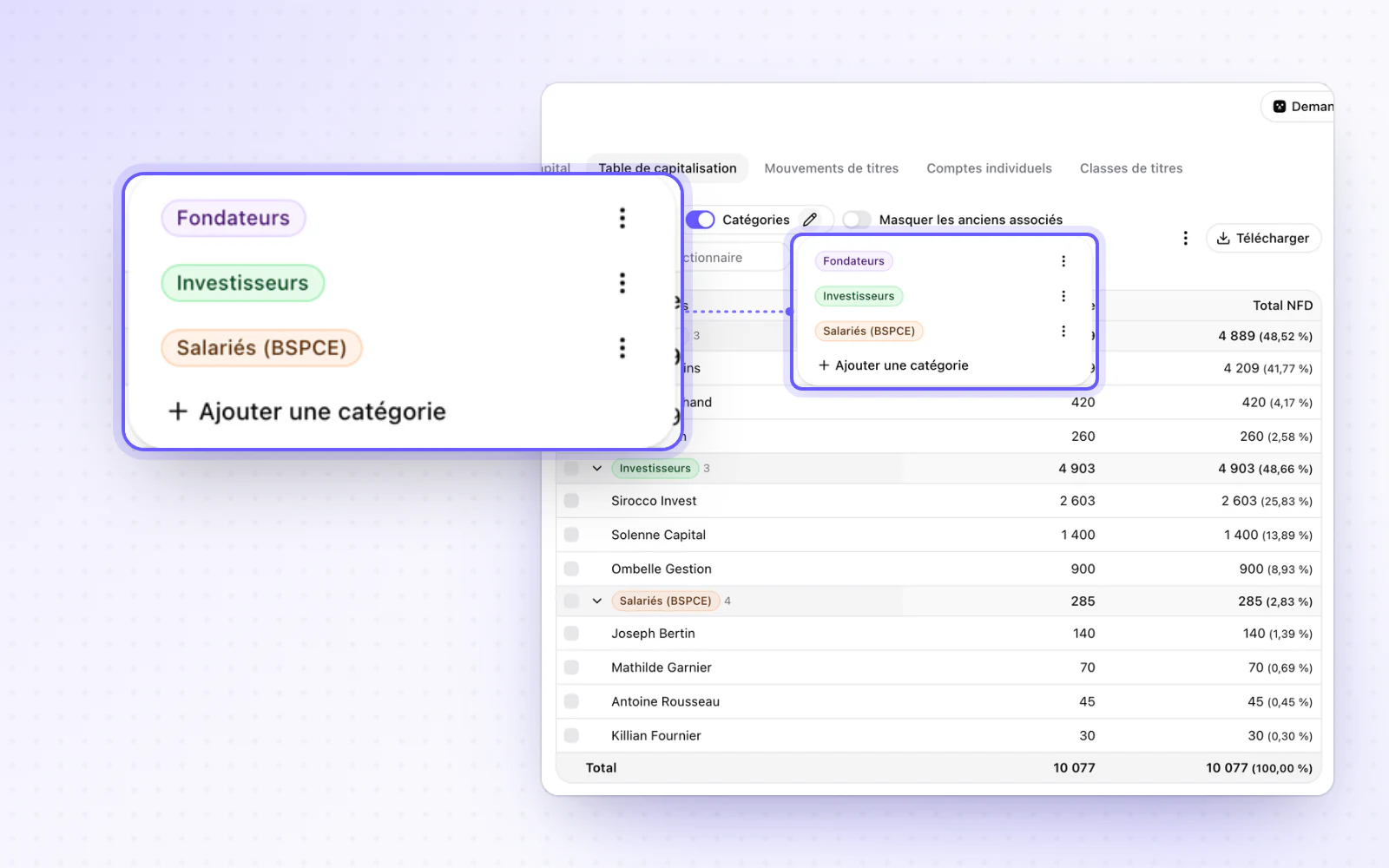
Your investor categories are managed right in the cap table. The source of your people's data is shown too.
Organise your investors without leaving the cap table. Create, rename, colour and delete your investor categories on the page itself. A category row sits above its members, and one button expands or collapses everything.
Highlight
Where your data comes from
Know where each piece of data comes from. RNE or DOC badges show the source of the data on your people and their mandates. They sit in a Source column of the people table, which you can hide.

All changes
The full list for this release. Only changes our customers can see are listed.
New
- CapitalInvestor categories, managed in place
- People and mandatesWhere your data comes from
Improved
- E-signatureThe real reason a send failed is shown, such as a Yousign refusal.
- CapitalMissing bare-ownership and usufruct accounts in a split ownership are named and created together.
- CapitalA capital gap with the share register shows both values side by side and is fixed in one click.
- CapitalThe share register has a single toolbar and a New movement button.
- CompaniesLegal form and registered address become optional outside France and the UK.